Thermal Print Themes on Web: How to Customize Your Bill Format
Written By Team Flobiz
Last updated About 2 months ago
With the new Thermal Print Themes, you can now customize how your bills look while printing from the web. Choose a layout that matches your business needs—whether you want something compact, detailed, or traditional.
🎯 What are Thermal Print Themes?
Thermal print themes allow you to change the layout, level of detail, and structure of your printed bills.
You can now choose from 4 different themes:
Compact
Advanced
Simple
Classic
Each theme is designed for different billing styles and business requirements.
🎨 Available Thermal Print Themes
1. Compact Theme
Clean and minimal layout
Fewer columns
Best for shorter item names and quick billing
2. Advanced Theme
Detailed and comprehensive format
Supports multiple columns
Ideal for businesses with long item names and complex billing
3. Simple Theme
Easy-to-read layout
Balanced structure
Great for everyday billing
4. Classic Theme
Traditional format
No tax breakdown
Suitable for businesses that prefer a familiar billing style
➕ What’s New in Thermal Prints?
All new themes now include:
Subtotal display
Total discount shown clearly
This helps you:
Quickly verify total items and pricing
Track discounts given to customers
Ensure billing accuracy
⚙️ How to Change Thermal Print Theme (Step-by-Step)
Login to your account on the Web platform
Go to Settings
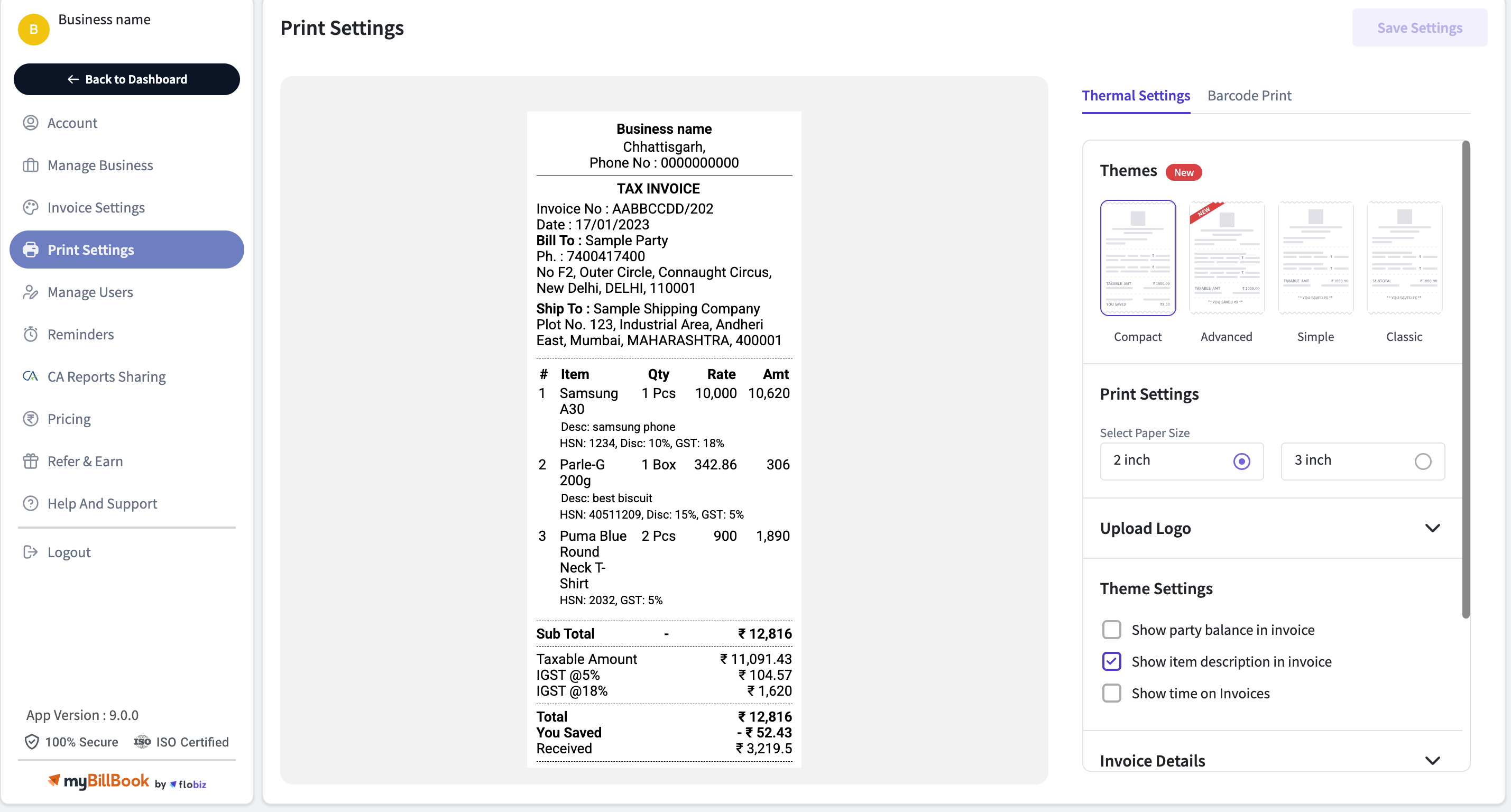
Click on Print Settings
Select Thermal Print Settings
Choose your preferred Theme (Compact / Advanced / Simple / Classic)
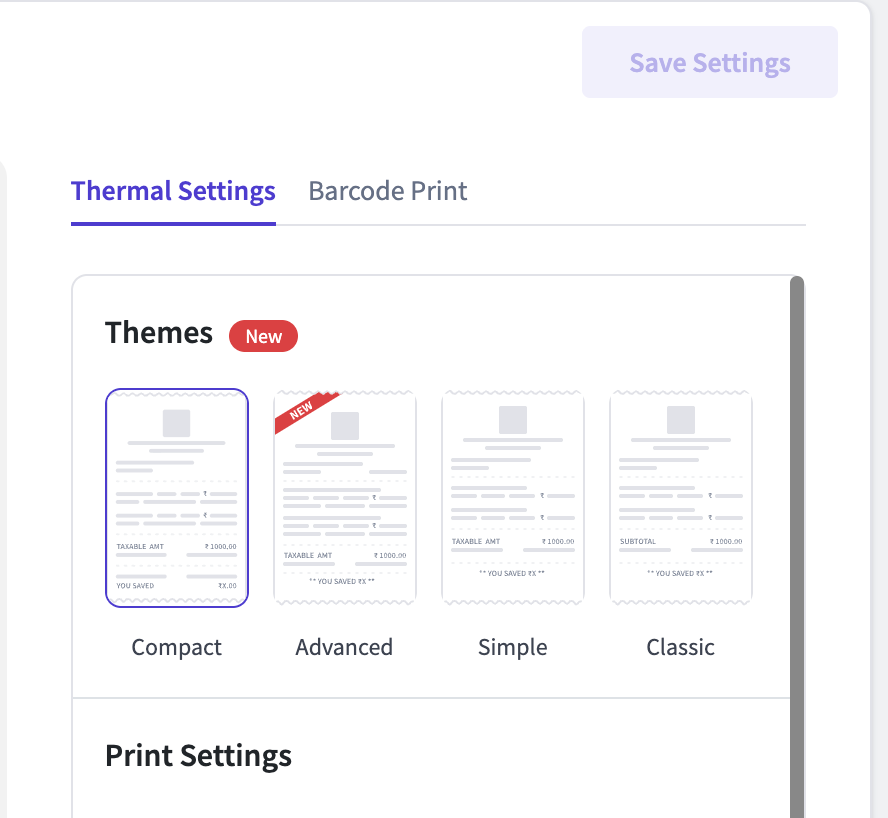
Click Save
Print a sample bill to preview your selected format
💡 Tips to Choose the Right Theme
Use Compact if you want faster printing and less clutter
Use Advanced if you need detailed billing and multiple columns
Use Simple for better readability during daily use
Use Classic if your customers are used to traditional formats
❓ FAQs
1. Can I switch between themes anytime?
Yes, you can change your thermal print theme anytime from print settings.
2. Will changing the theme affect my saved invoices?
No, this only changes the print layout, not your invoice data.
3. Which theme is best for my business?
Retail shops → Simple or Compact
Wholesale/Distributors → Advanced
Traditional businesses → Classic
4. Do all themes show discount and subtotal?
Yes, all new themes display subtotal and total discount for better clarity.
5. Why don’t I see tax breakdown in Classic theme?
The Classic theme is designed to follow a traditional format, which does not include tax breakdown.
6. Can I preview the theme before printing?
Yes, you can print a sample bill after selecting a theme to check how it looks.
7. Does this work on mobile app?
Currently, thermal print themes are available on the Web platform.