How to Assign Categories to Multiple Items at Once
Written By Team Flobiz
Last updated 3 months ago
Bulk Category Assignment allows you to update categories for multiple items in a single action, saving time and reducing manual work.
Available on:
🌐 Web
How to Assign a Category to Multiple Items
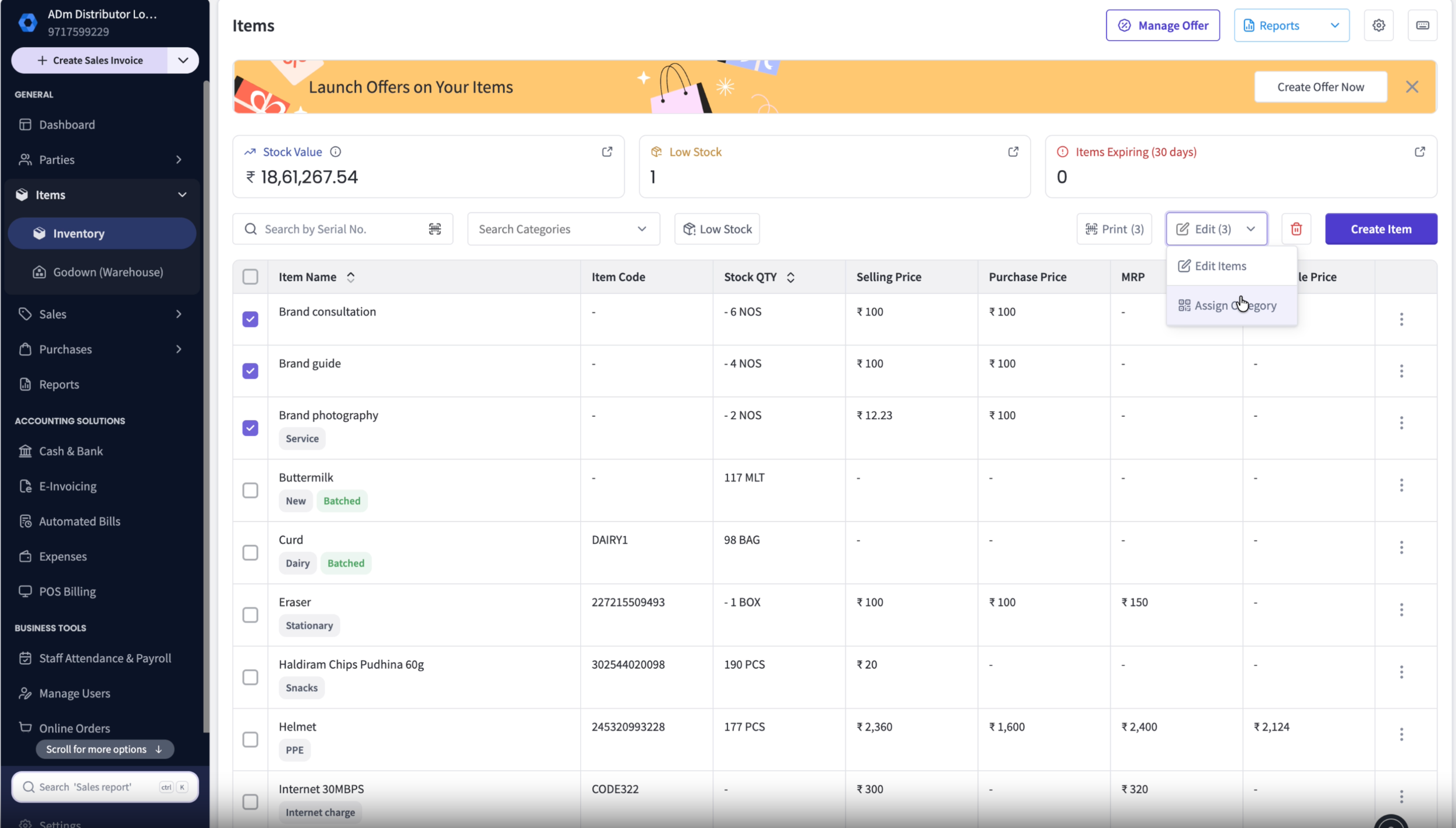
Go to Items List.
Select the items you want to update.
Click Assign Category from the bulk actions menu.
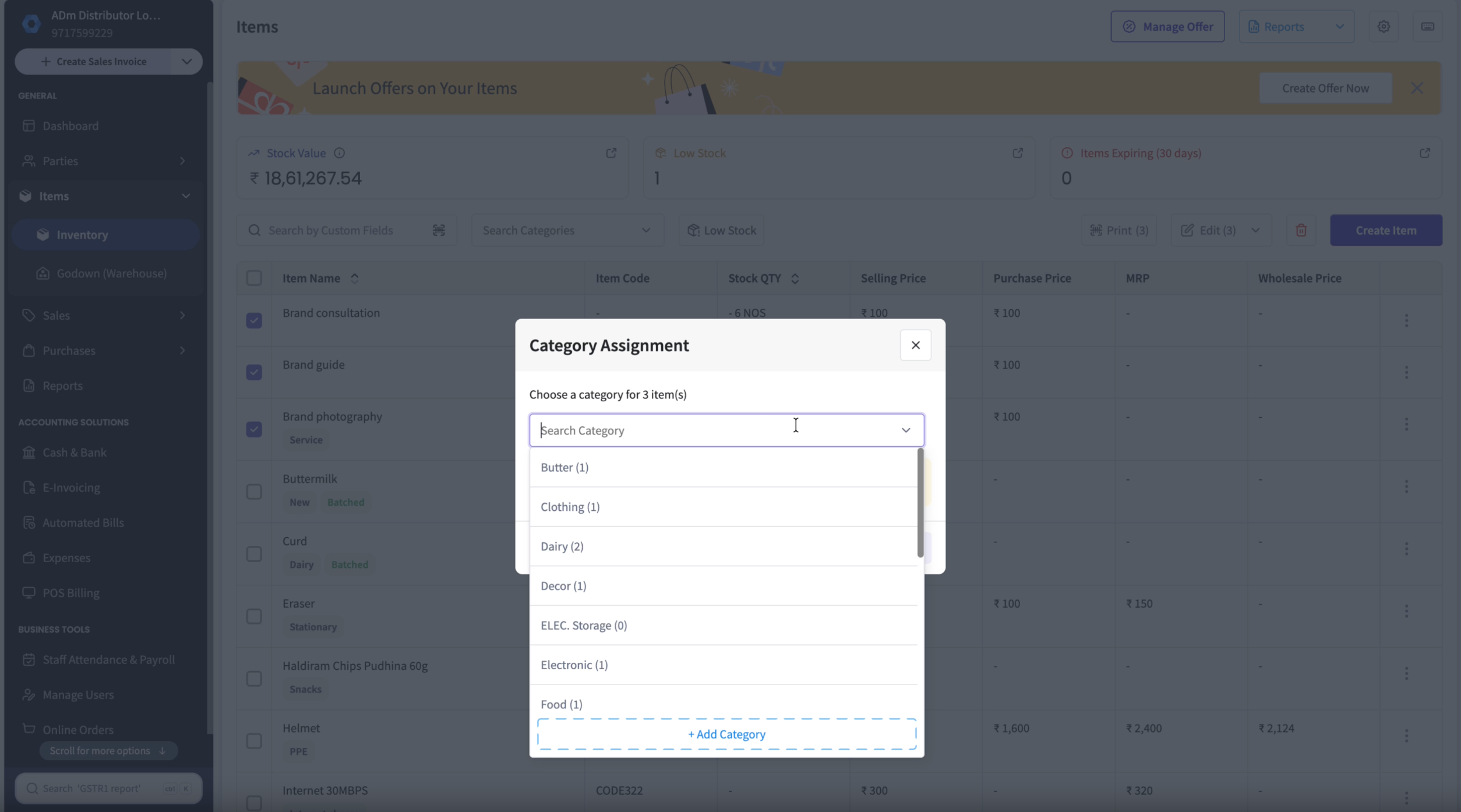
Search for the required category.
Select the category.
Confirm the action.
The category will be assigned to all selected items.
Important Note
Category assignment is processed in the background.
If the updated category is not visible immediately:
Wait for processing to complete.
Refresh the page.