Updating GST Rates on myBillBook basis new rules (from Sep 22, 2025)
Written By Team Flobiz
Last updated About 1 year ago
Overview
From 22nd September 2025, the Indian government has revised GST slabs. Many items have moved between slabs (e.g., 12% → 5%, 18% → 40%). To keep your invoices accurate and compliant, you’ll need to update GST rates for your items.
myBillBook has made this simple by adding a new bulk-update option. All affected items will be highlighted, so you can make the necessary changes before the new rules take effect.
📖 For complete details on the GST slab changes, see this guide:
https://mybillbook.in/gst-rate-changes-2025-hsn-list-old-vs-new
How to Update new GST Rates on myBillBook (Video Guide)
Steps to Update GST Rates on myBillBook
Log in to MyBillBook
Open your account and go to the dashboard.
You’ll see a banner at the top about the latest GST changes.
Go to Items Section
Navigate to Items from the menu.
Click on Bulk Actions → Edit GST Rates.
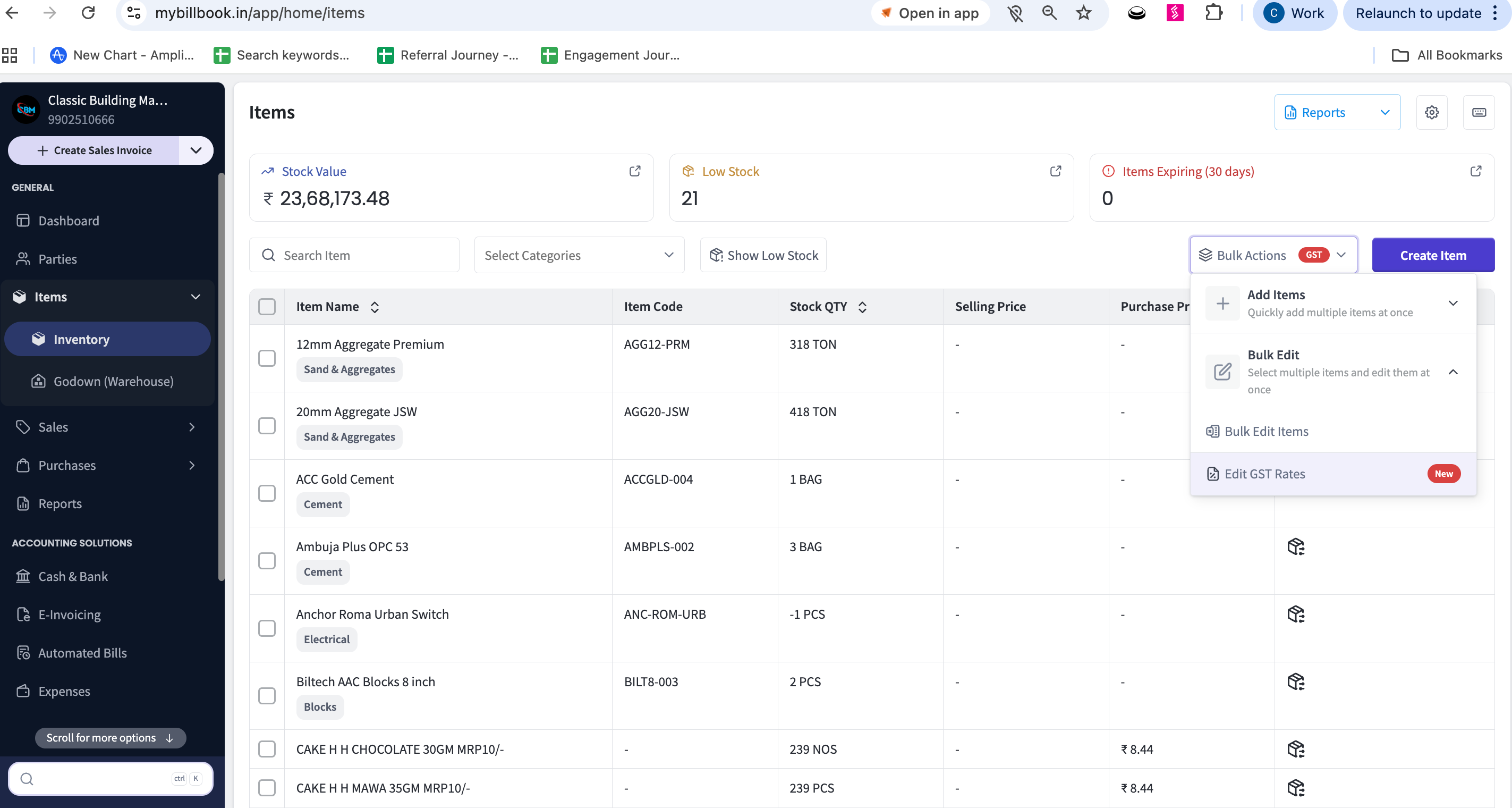
Bulk Edit GST Rates
You’ll land on the Bulk Edit GST Rate screen.
All items with outdated GST rates will be highlighted in the GST Rate column.
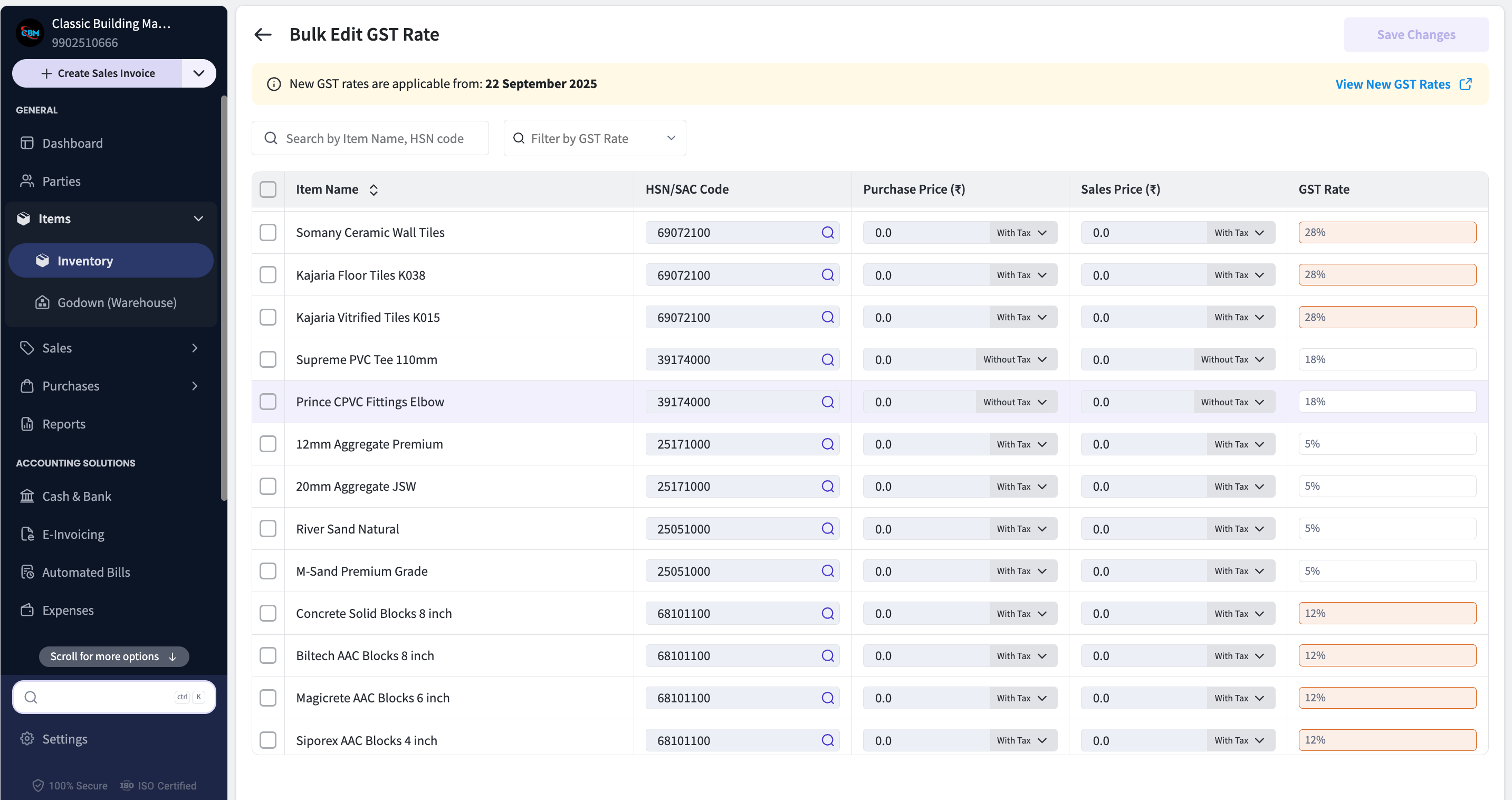
Select Items to Update
Choose the items you want to update.
Select the correct GST rate from the dropdown.
Apply Changes
After selecting the right GST rate, click Apply GST Rate.
Your updated GST rates will be saved automatically.
Important
Complete this update before 22nd September 2025 so that all your invoices are generated with the correct GST slabs and you remain fully compliant.
Was this helpful?
Still need help? Share an idea