How to Send WhatsApp Payment Reminders in One Click
Written By Team Flobiz
Last updated 3 months ago
You can now send payment reminders directly through WhatsApp from Party screens without navigating through multiple pages.
Available on:
🌐 Web
How to Send a Payment Reminder from Party List
Open Party List.
Find the party with pending payments.
Click the WhatsApp icon next to the outstanding balance.
WhatsApp Web will open with a drafted payment reminder.

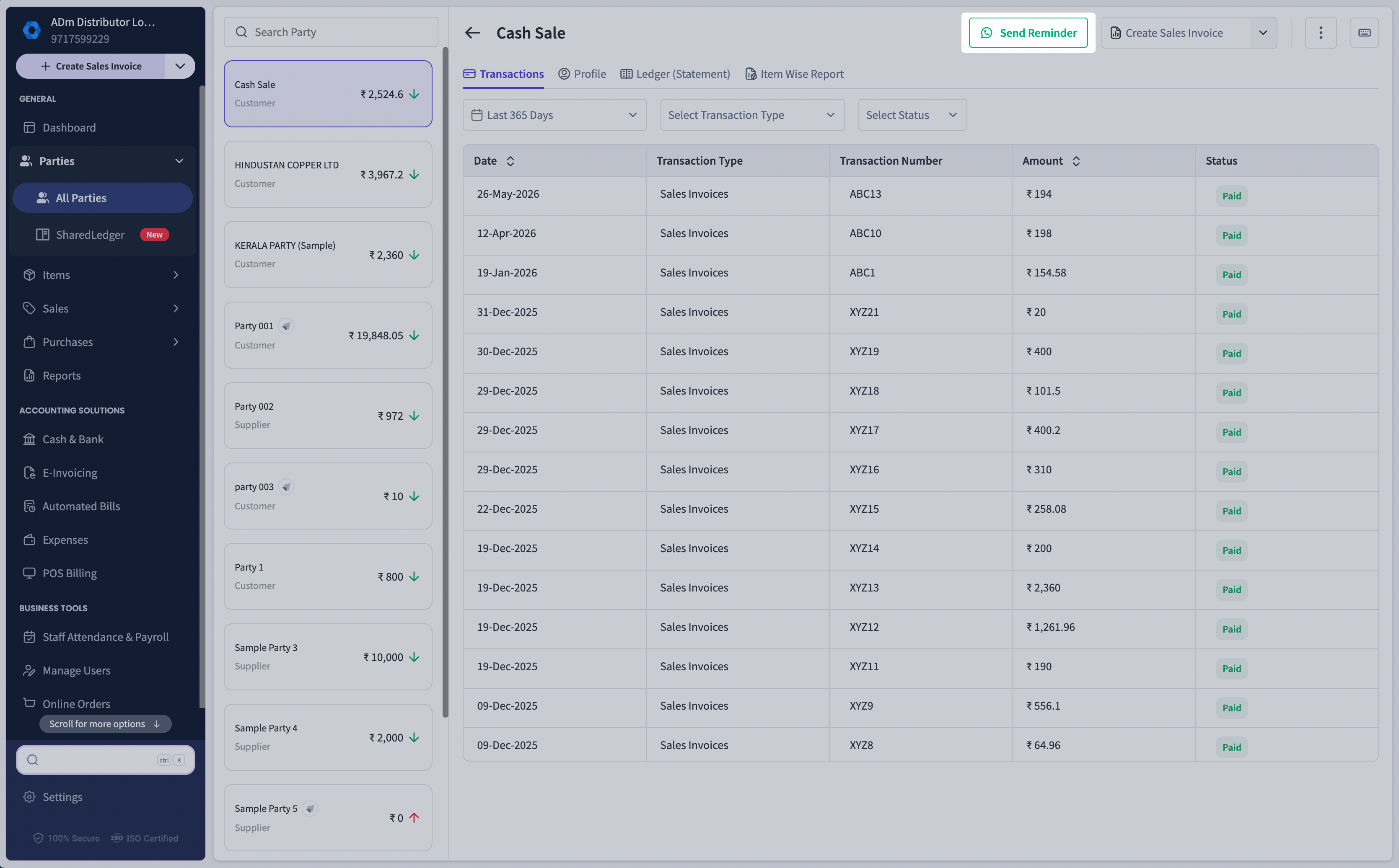
How to Send a Payment Reminder from Party Details
Open the required party.
Click Send Reminder in the header section.
WhatsApp Web will open automatically with a reminder message.
How Auto-Drafted WhatsApp Reminders Work
When you use either reminder option:
WhatsApp Web opens automatically.
A payment reminder message is pre-filled.
Review the message and click Send.