Comprehensive Financial Reporting: Daily Summary, Balance Sheet, and P&L Statement
Written By Team Flobiz
Last updated About 1 year ago
Feature Overview
With myBillBook, you can generate key financial reports like sales summary, profit & loss, and balance sheet in just a few taps–no accountant needed !
A. How to Check Daily/Weekly Summary of Sales and Profits
Overview:
The daily/weekly summary shows your total sales, expenses, and profits - so you know how your business is performing day to day.
Benefits:
Quick performance snapshot
Helps track profit margins
Allows timely course correction
Step-by-step Instructions
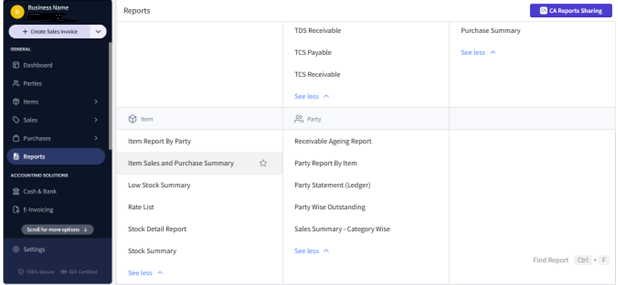
Go to Reports > Items sales and purchase summary.
Choose the date range (Today, This Week, Custom).
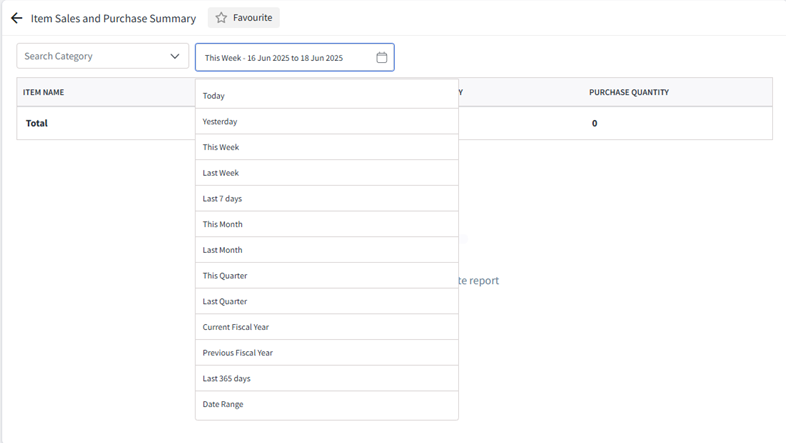
View total sales, collections, expenses, and profit.
Tap Export to download the report.
B. How to Check Your Balance Sheet
Overview:
The balance sheet shows your total assets, liabilities, and equity at a glance.
Benefits:
Gives overall financial health of your business
Useful for loan applications and tax filing
Tracks what you own and what you owe
Step-by-step Instructions
Open Reports > Balance Sheet.
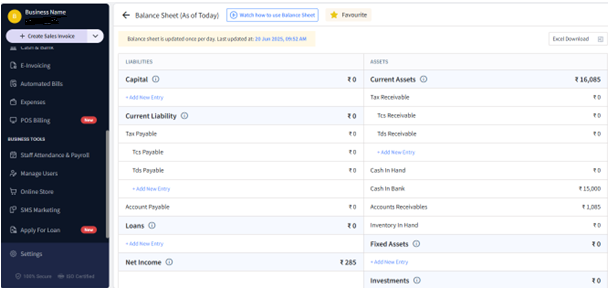
View summary of assets (stock, cash, bank), liabilities (payables, loans), and net balance.
Tap Download PDF or Share with your accountant.
C. How to Check Your Profit and Loss (P&L) Statement
Overview:
Your P&L shows income, expenses, and net profit over any period - daily, weekly, monthly, or custom.
Benefits:
Helps understand actual profit
Useful for GST/tax calculation
Shows how expenses affect revenue
Step-by-step guide-
Go to Reports > Profit & Loss.
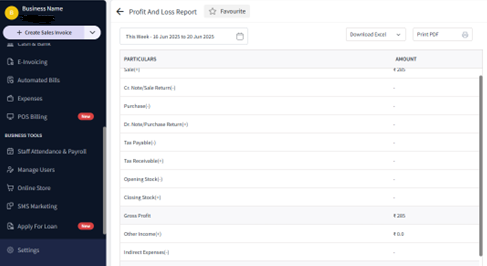
Choose time period (Today, This Month, etc.).
View total revenue, expenses, gross profit, and net profit.
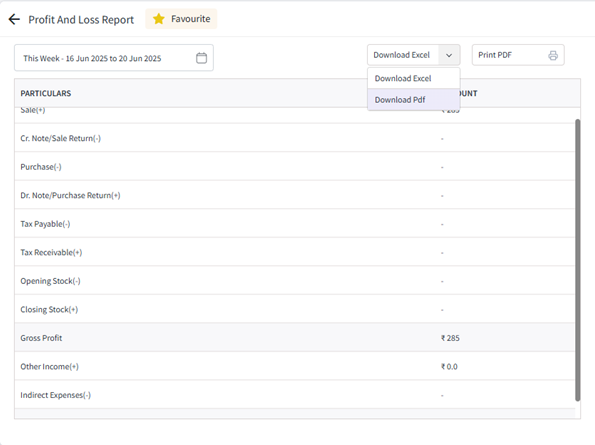
Tap Download or Share.