How to Send WhatsApp Payment Reminders in One Click
Written By Team Flobiz
Last updated 4 months ago
You can now send payment reminders directly through WhatsApp from Party screens without navigating through multiple pages.
Available on:
🌐 Web
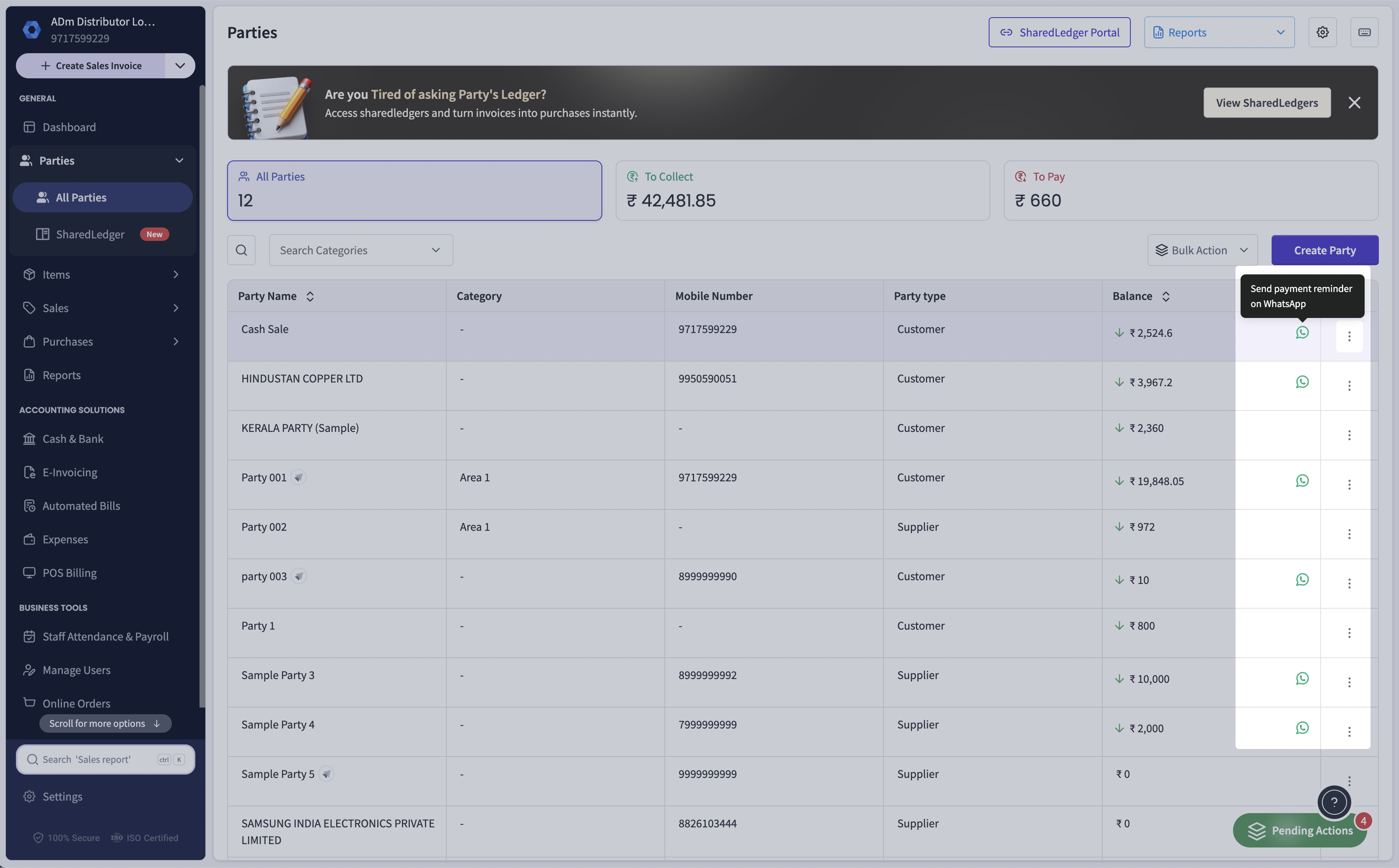
How to Send a Payment Reminder from Party List
Open Party List.
Find the party with pending payments.
Click the WhatsApp icon next to the outstanding balance.
WhatsApp Web will open with a drafted payment reminder.
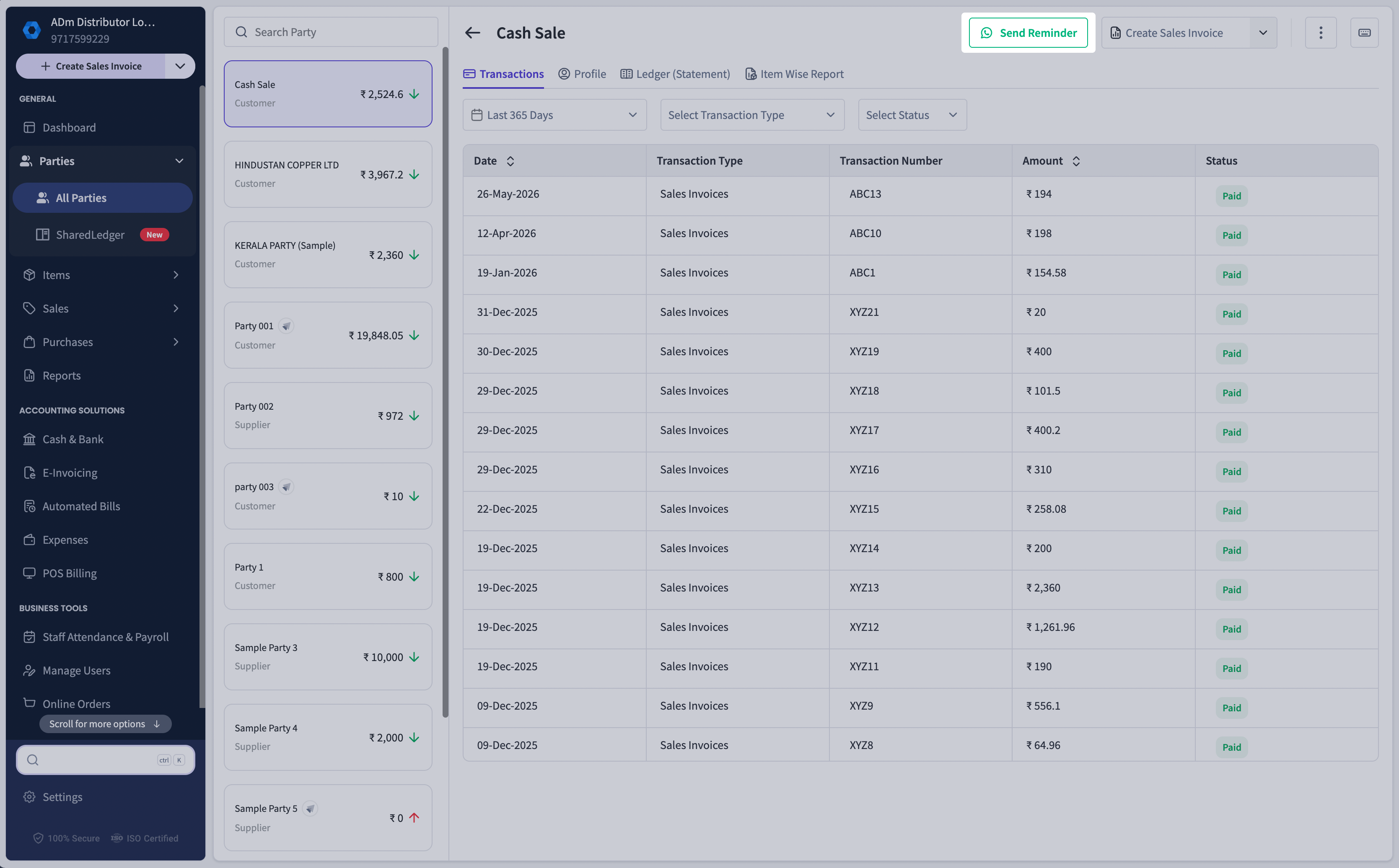
How to Send a Payment Reminder from Party Details
Open the required party.
Click Send Reminder in the header section.
WhatsApp Web will open automatically with a reminder message.
How Auto-Drafted WhatsApp Reminders Work
When you use either reminder option:
WhatsApp Web opens automatically.
A payment reminder message is pre-filled.
Review the message and click Send.
FAQs
Do I need WhatsApp installed on my computer?
Do I need WhatsApp installed on my computer?
You need access to WhatsApp Web and an active WhatsApp account.
Can I edit the reminder message before sending it?
Can I edit the reminder message before sending it?
Yes. The message is pre-filled, but you can modify it before sending.
Where can I send reminders from?
Where can I send reminders from?
You can send reminders from:
Party List
Party Details
Does Quick Ship send the message automatically?
Does Quick Ship send the message automatically?
No. WhatsApp opens with a drafted message, and you choose whether to send it.
Will the reminder include outstanding payment information?
Will the reminder include outstanding payment information?
Yes. The drafted message is designed to help remind customers about pending payments.
Was this helpful?
Still need help? Share an idea